Microsoft has just made two of the biggest updates to Microsoft 365 in years. Copilot AI is now built directly into small business plans as standard, and a new feature called Copilot Cowork can carry out multi-step tasks on your behalf across your entire Microsoft 365 environment.
If your business uses Microsoft 365, this affects you. Here is what has changed, what it actually does, and exactly how to get started.
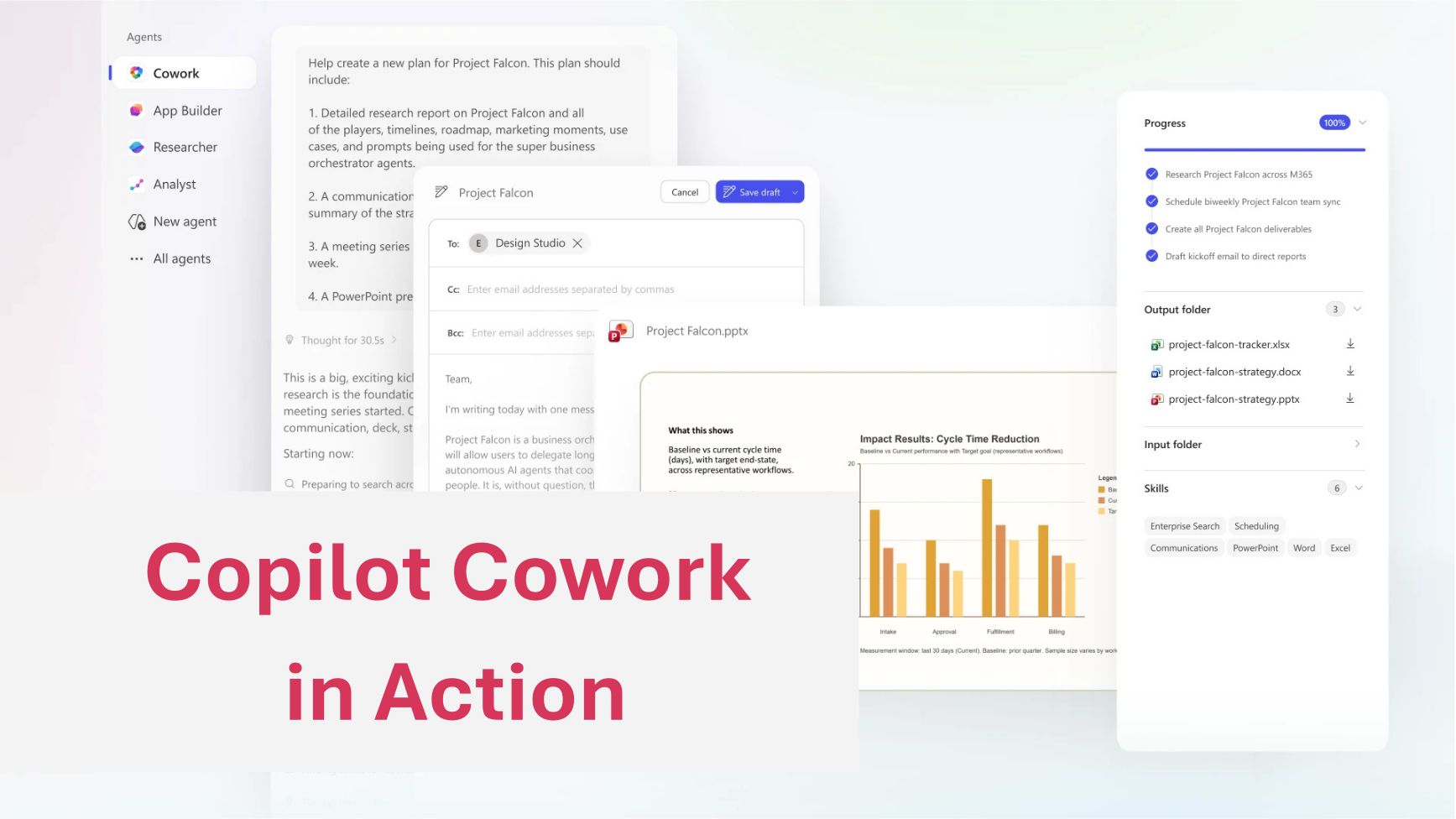
What is new in Microsoft 365
Microsoft has introduced a new plan that brings Copilot AI together with Microsoft 365 apps in a single subscription, specifically designed for small and medium-sized businesses. This means Copilot is no longer a separate purchase or an add-on to think about later. It is built directly into the Microsoft 365 apps businesses use every day: Word, Excel, PowerPoint, Outlook, and Teams
At the same time, Microsoft has significantly expanded Copilot Cowork, a feature that moves AI from answering your questions to actually completing work for you.
If you have an eligible Microsoft 365 Business plan with Copilot, you can start using standard Copilot today. Cowork is also generally available, but since July 2026 it runs on usage-based Copilot Credits billing on top of your Copilot licence, so it's worth setting expectations on cost before rolling it out widely.
What Copilot can do for your business
Here is what Copilot does inside each of the apps you already use:
Copilot Outlook
Copilot reads your emails and summarises long threads so you do not have to. It can draft replies, suggest responses, and flag what actually needs your attention. Useful prompts to try:
- "Summarise this email thread and list the outstanding actions"
- "Draft a professional reply declining this meeting request"
- "What emails in my inbox need a response today?"
Copilot Word
Copilot can write first drafts, rewrite sections in a different tone, and pull in content from your other files. You describe what you need and it builds the structure. Useful prompts:
- "Write a one-page summary of this document for a client"
- "Rewrite this paragraph in a more straightforward tone"
- "Draft a proposal based on the notes in this file"
Copilot Excel
Copilot turns plain language into analysis. You do not need to know formulas. Useful prompts:
- "Highlight the top 10 values in column B"
- "Create a chart showing monthly revenue from this data"
- "What trends can you see in this spreadsheet?"
Copilot Teams
After a meeting, Copilot can produce a full summary with action points before you have even left the call. Useful prompts:
- "Summarise today's meeting and list who is responsible for what"
- "What decisions were made in this call?"
- "Draft a follow-up email based on this meeting"
Copilot PowerPoint
Copilot can build a presentation from a document or a written brief. Useful prompts:
- "Create a 5-slide presentation based on this Word document"
- "Add speaker notes to each slide summarising the key point"
Copilot Cowork: AI that does the work, not just the thinking
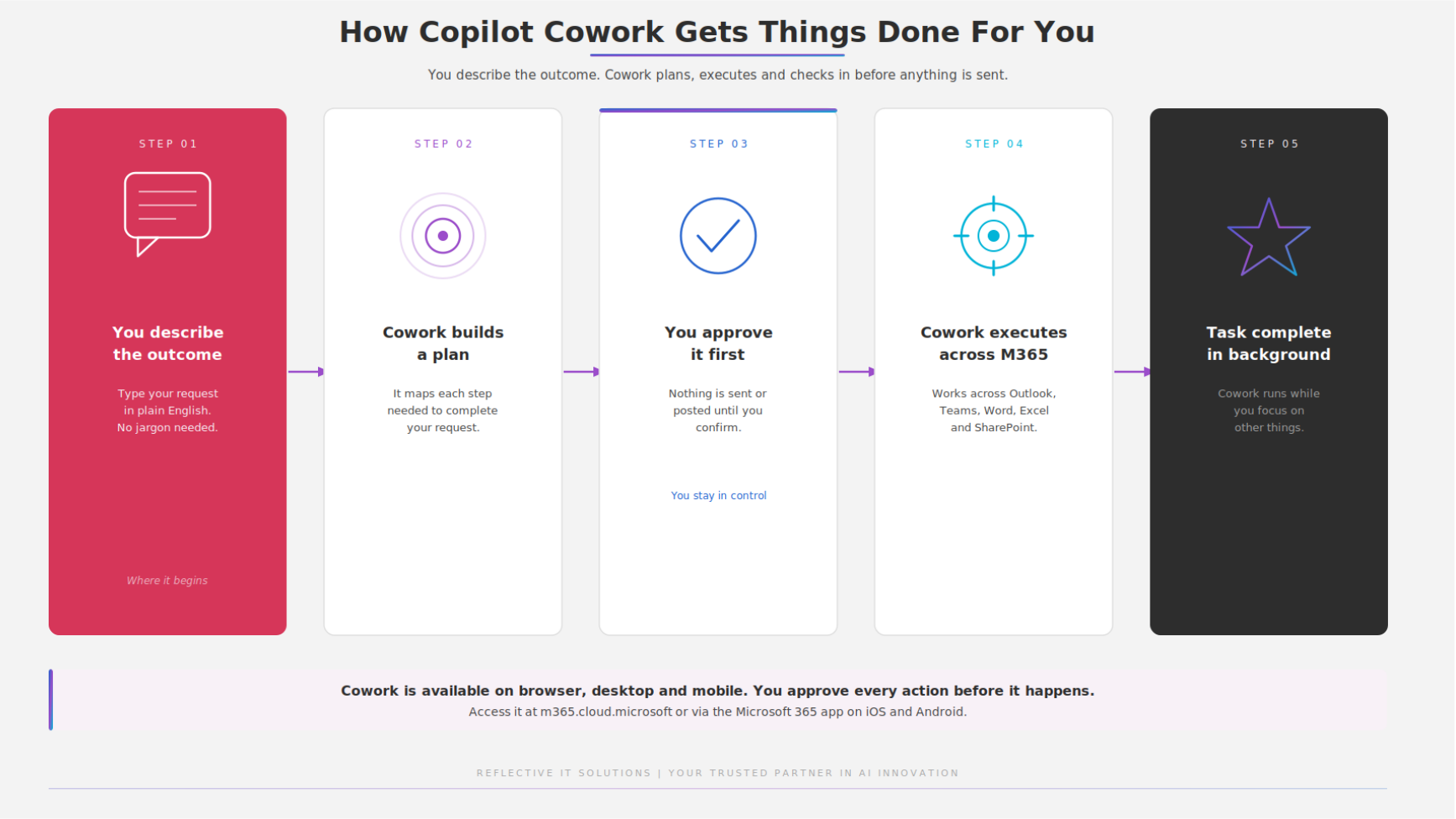
Copilot Cowork is the bigger shift. Where standard Copilot responds to one prompt at a time, Cowork is built for action. You describe an outcome, it plans the work, breaks it into steps, carries it out across your applications and files, and checks in with you along the way.
In practice, that means you could say: "Draft a quarterly update for the leadership team based on last week's meeting notes, pull in the latest figures from our shared spreadsheet, and send it to the team for review." Cowork does all of that. It writes the update, finds the data, drafts the email, and waits for your approval before anything is sent.
- Mobile support: Cowork is now available on iOS and Android, so you can delegate tasks from your phone and check progress wherever you are.
- Cowork skills: Reusable instructions for repeatable workflows such as weekly reports, meeting preparation, and research tasks. Build it once and run it whenever you need it.
- Third-party integrations: Cowork can now connect to tools outside Microsoft 365, including Power BI and Dynamics 365, expanding what it can act on.
- Choice of model: Cowork now supports Anthropic's Claude Sonnet 5 as a selectable model alongside Microsoft's own, giving you more control over how tasks are handled..
Getting started with Copilot Cowork
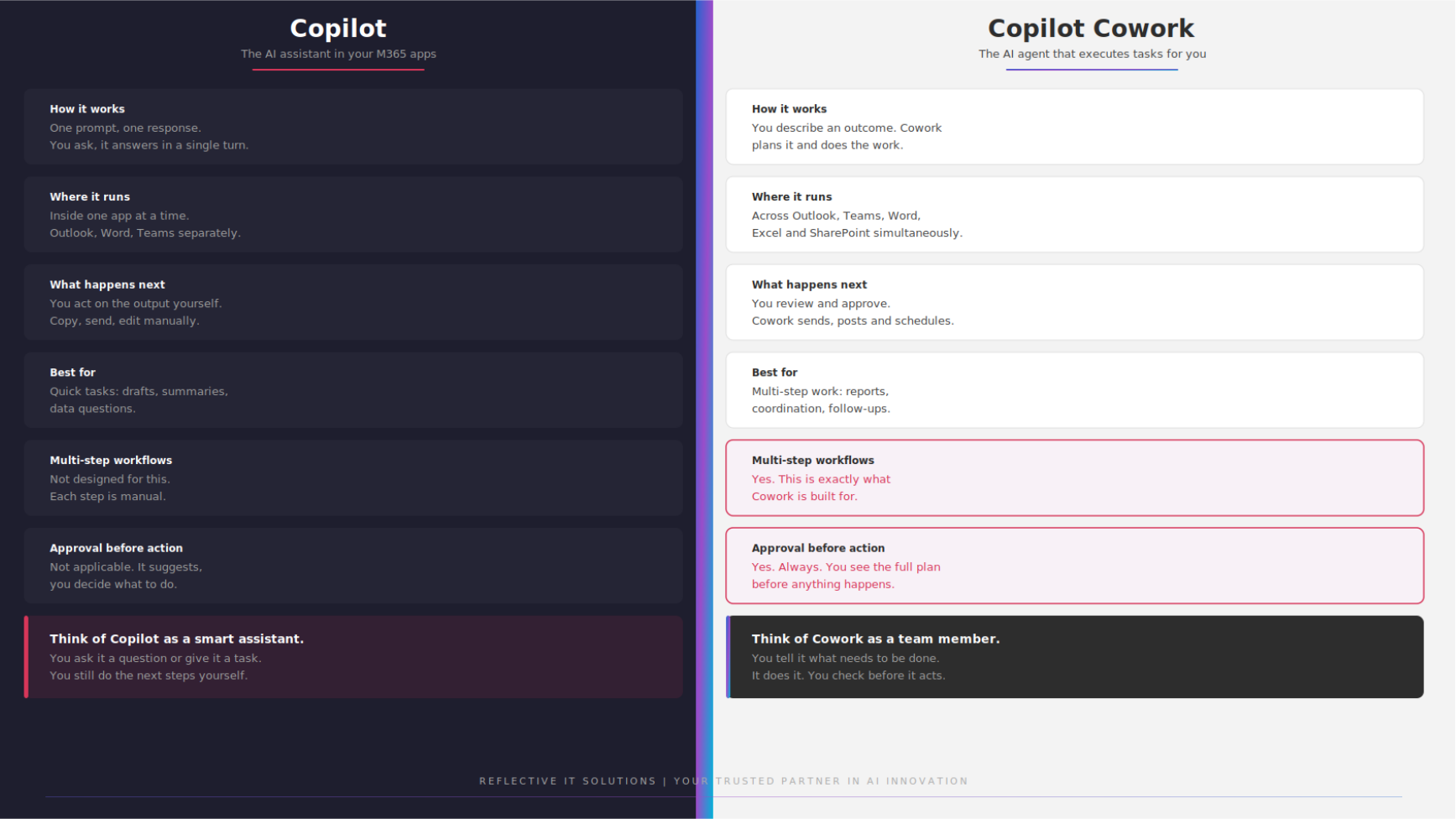 Cowork sits inside the Microsoft 365 Copilot app, available on desktop, web, and now mobile. Open it, describe the outcome you want in plain language, and Cowork will plan the steps and show you before it acts.
One thing to sort out first: since July 2026, Cowork runs on usage-based Copilot Credits rather than being included free. Someone with admin access will need to set up billing for this in the Microsoft 365 admin centre before your team can use it beyond a short grace period. If that's not already done, that's the first practical step, not opening the app.
Is Copilot Cowork Secure?
Copilot only accesses content the signed-in user already has permission to see. Cowork shows you its full plan before taking any action and will not send, post, or schedule anything without your approval.
That said, it is worth making sure your Microsoft 365 environment is properly set up before rolling out new AI features. Permissions, sharing settings, and data governance all affect what Copilot can see and do. If you are unsure whether your current setup is ready, we can review it with you as part of our Cyber Security & Resilience Services.
How Reflective IT Can Help
Reflective IT, can get you the most from Microsoft 365, from initial setup and licensing through to ongoing support as features like Copilot evolve. If you want to understand what Copilot could do for your team or need help rolling it out, get in touch, and speak to our team.
📞 0207 317 4535 | 📧 support@reflectiveit.com