Microsoft Teams: What Businesses Should Be Paying Attention To
Microsoft Teams continues to evolve, with regular updates to security controls and default protections. What was once viewed mainly as a collaboration tool is now firmly part of core business infrastructure and an increasingly common target for cyber attacks.
Microsoft’s recent changes make one thing clear. Teams is no longer treated as a neutral workspace. It is recognised as a key attack surface, and security is being tightened accordingly.
For businesses, this raises an important question: are your Teams settings, day to day usage, and oversight keeping pace with how the platform is actually used?
Teams Has Quietly Become Business Critical
Teams now sits at the centre of communication, file sharing, and collaboration. That convenience is exactly what makes it attractive to attackers.
Messages feel informal. Files are shared quickly. Links are clicked with less scrutiny than email. Trust is high, which is often where phishing and malware succeed.
Microsoft has clearly acknowledged this shift and is moving Teams towards a more secure by default model, reducing reliance on users spotting threats on their own.
Security Changes You Might Not Notice, But Should Understand
Many of the most important Teams updates focus on quietly reducing risk rather than adding visible new features.
These include:
- Blocking high risk file types commonly used to spread malware
- Real time link scanning in chats and channels using Microsoft threat intelligence
- Clear security warnings when content appears suspicious
- Improved reporting options so suspicious activity can be flagged quickly
The aim is simple: close the gaps attackers exploit inside trusted collaboration spaces.
Everyday Teams Activity Can Introduce Risk
Even with stronger defaults, how Teams is used still plays a major role in security. Phishing attacks now routinely originate inside collaboration tools because messages feel familiar and safe.
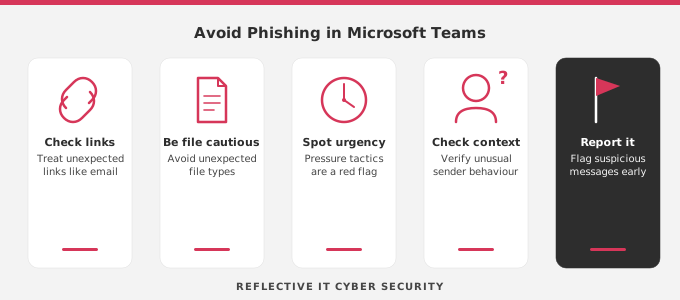
Top Tips: How to Avoid Phishing in Microsoft Teams
- Treat unexpected links with the same caution as email
Just because a link appears in Teams does not mean it is safe. If it is unexpected, urgent, or asks you to sign in, take a moment to verify it before clicking. - Be cautious with files shared in chats and channels
Teams can feel safer than email, which is why file based attacks spread easily. Stick to familiar file types and avoid opening files you were not expecting, even if they come from someone you know. - Watch out for urgency and pressure
Messages designed to rush you, such as “quick check” or “need this now”, are common phishing tactics. Pausing for a moment is often enough to prevent a mistake. - Check the context, not just the sender’s name
Compromised accounts are a common entry point. If a message feels unusual for the sender, it is worth double checking before taking action. - Report suspicious messages early
Teams includes options to report suspicious content. Early reporting helps limit the spread and allows issues to be investigated quickly.
Why Secure by Default Still Needs Oversight
Microsoft strengthening default protections is a positive step, but it does not remove the need for ongoing oversight.
Teams environments grow organically. Channels are added, guests are invited, integrations are enabled, and usage changes over time. Without visibility, risk builds quietly in the background.
While user awareness is important, visibility and monitoring across Microsoft Teams play a critical role in identifying suspicious activity early.
How Reflective IT Can Help
At Reflective IT, we support organisations that rely heavily on Microsoft 365 and Teams as part of daily operations.
By combining proactive managed IT services with continuous security monitoring, we help businesses stay in control of how Teams is used and secured. This includes:
- Understanding how Microsoft Teams is being used across the organisation
- Maintaining visibility over access, permissions, and integrations
- Identifying unusual or risky behaviour early
- Responding quickly when something does not look right
Rather than adding complexity, our focus is on securing the tools you already use, helping teams work confidently while reducing the risk of phishing and other threats hidden inside everyday collaboration.
If you would like to discuss how secure your Microsoft Teams environment is, or understand what steps you can take to reduce risk, speak to our team.
📞 0207 317 4535 | 📧 support@reflectiveit.com