When most businesses think about cyber security, they think about laptops, email and passwords. Few think about the fridge.
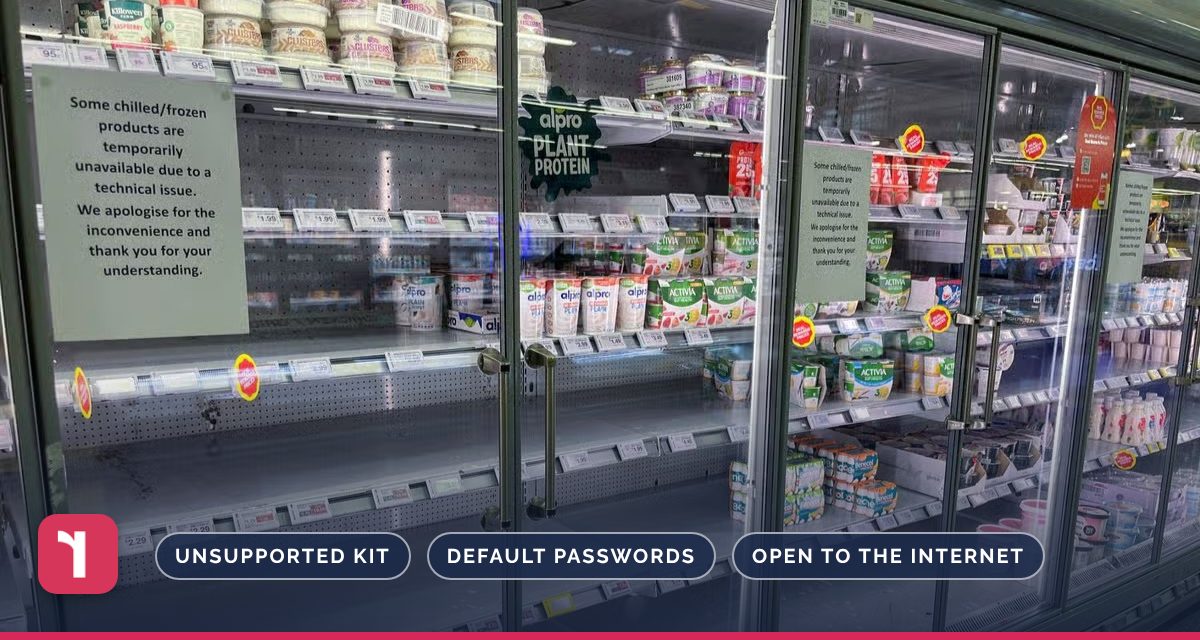
But over the past few weeks, attackers have taken control of internet-connected refrigeration systems at hundreds of supermarkets across Europe, switching fridges and freezers into defrost or heating them overnight. Stores were forced to throw away food, and reports now suggest UK supermarkets were affected too.
The attacks are a reminder that any device connected to your network can become a way in, from CCTV and door entry systems to printers and smart heating. This article explains what happened, why it matters for every business, and five practical checks to make this month.
If you're not sure what's connected to your network, Reflective IT's team can help you find out.
TL;DR
- Attackers took over internet-connected refrigeration systems at around 700 supermarkets in France, with similar incidents in Belgium, Luxembourg, Sweden, Ireland and, reportedly, the UK.
- Most affected units were older products running outdated software that no longer received security updates.
- Most businesses have similar “forgotten” devices, such as CCTV, door entry, printers, smart heating and meeting room screens.
- Know what’s connected, change default passwords, update or replace unsupported kit, keep devices on a separate network and never leave them open to the internet.
What Happened?
In October, attackers took control of refrigeration systems at around 700 supermarkets in France, including Intermarché, Netto, Carrefour, Monoprix and Système U stores. Fridges and freezers were remotely switched into defrost or heated overnight, with temperatures reportedly reaching 50°C, and some stores had to throw away food. The refrigeration systems’ manufacturer, Danfoss, said most affected units were older products running outdated software that no longer received security updates.
On 2nd November, supermarkets in Belgium, Luxembourg, Sweden, Ireland and other countries reported similar overnight incidents. Reports on 4th November suggested UK supermarkets were affected too, and the UK’s National Cyber Security Centre says it is working with international partners and industry to understand what happened.
Why This Matters for Every Business
These attacks didn’t target laptops or email. They targeted operational technology: equipment that quietly runs in the background, was connected to the internet for convenience, and was then forgotten about.
You probably don’t have supermarket freezers, but most offices have plenty of connected devices that nobody looks after:
- CCTV cameras and video recorders
- Door entry and alarm systems
- Printers and scanners
- Smart heating, air conditioning and building controls
- Meeting room screens and smart TVs
- Wi-Fi access points and routers
Devices like these often ship with default passwords, rarely get updated, and can sit on the same network as your laptops and files. If an attacker gets into one, it can become a route into everything else.
5 Things to Check This Month
1. Know what’s connected
Make a list of every device on your network, including the ones that “just work”. We can scan your network and produce the list for you.
2. Change default passwords
Many devices ship with standard passwords that are published online. Change them to strong, unique passwords, and store them somewhere safe.
3. Update or replace unsupported kit
Check whether each device still receives security updates. If it doesn’t, plan to replace it, just as the supermarkets are now having to do.
4. Keep devices off your main network
Put cameras, printers and building systems on a separate network, so a problem with one of them can’t spread to your computers and files.
5. Don’t leave them open to the internet
If a supplier needs remote access, use a secure, monitored connection rather than a port left open for convenience, and switch off access that’s no longer needed.
Reflective IT tip: Ask your Technical Account Manager for a connected device check. We’ll find out what’s on your network, flag anything unsupported or exposed, and help you lock it down.
Sources: ITV News, Al Jazeera, LBC, BBC News, Computer Weekly.
If you’re unsure which devices are connected to your network, Reflective IT can help. We’ll identify what’s there, check it’s patched and properly secured, and advise on anything that needs replacing or separating from your main network.
Speak to the Reflective IT team about securing your connected devices, or call us on 020 7317 4535.