Copilot for Excel: Revolutionising Data Analysis

Microsoft 365 Copilot is transforming Excel into an intelligent, AI‑powered analytics engine. From natural language prompts to automated data clean‑up, visualisation, formula generation and narrative insights, Copilot helps users of every skill level work faster and make smarter decisions.
- AI-driven analysis and natural language interaction
- Automatic formula creation, charts, and PivotTables
- One-click data cleaning and transformation
- Executive-ready summaries and predictive insights
- Lower learning curve for non-technical users
A New Era of Intelligent Spreadsheets
Excel has long been the backbone of business reporting and data analysis — but Microsoft 365 Copilot marks a dramatic shift in how millions work with data. Copilot introduces AI‑powered analysis, natural language interaction, automated insights, and rapid visualisation. With more than 1.1 billion Microsoft productivity users worldwide, this integration represents one of the most significant upgrades Excel has ever received.
“Copilot bridges the gap between human intelligence and artificial intelligence, empowering users to unlock new levels of productivity and data‑driven decision‑making.”
What Is AI in Excel?

AI in Excel centres around Copilot’s natural language experience. Simply type instructions such as:
• “Summarise this dataset”
• “Build a pivot table”
• “Create a forecast for next quarter”
• “Highlight unusual trends”
Copilot understands the intent, performs the analysis, and generates formulas, charts, queries, or narrative insights directly within the workbook — even improving the output where needed.
Tasks that once required advanced Excel knowledge — nested functions, large‑scale data cleaning, or complex modelling — can now be performed conversationally.
Getting Started: How to Enable Copilot in Excel
Netcom Learning's steps make activation simple:
- Open Excel and load a workbook.
- Format your data as a table for optimal AI recognition.
- Go to File → Options → Add‑Ins.
- Select COM Add‑ins → Go, then tick Copilot.
- Copilot now appears in the Excel ribbon, ready to assist.
Key Features That Transform Data Analysis
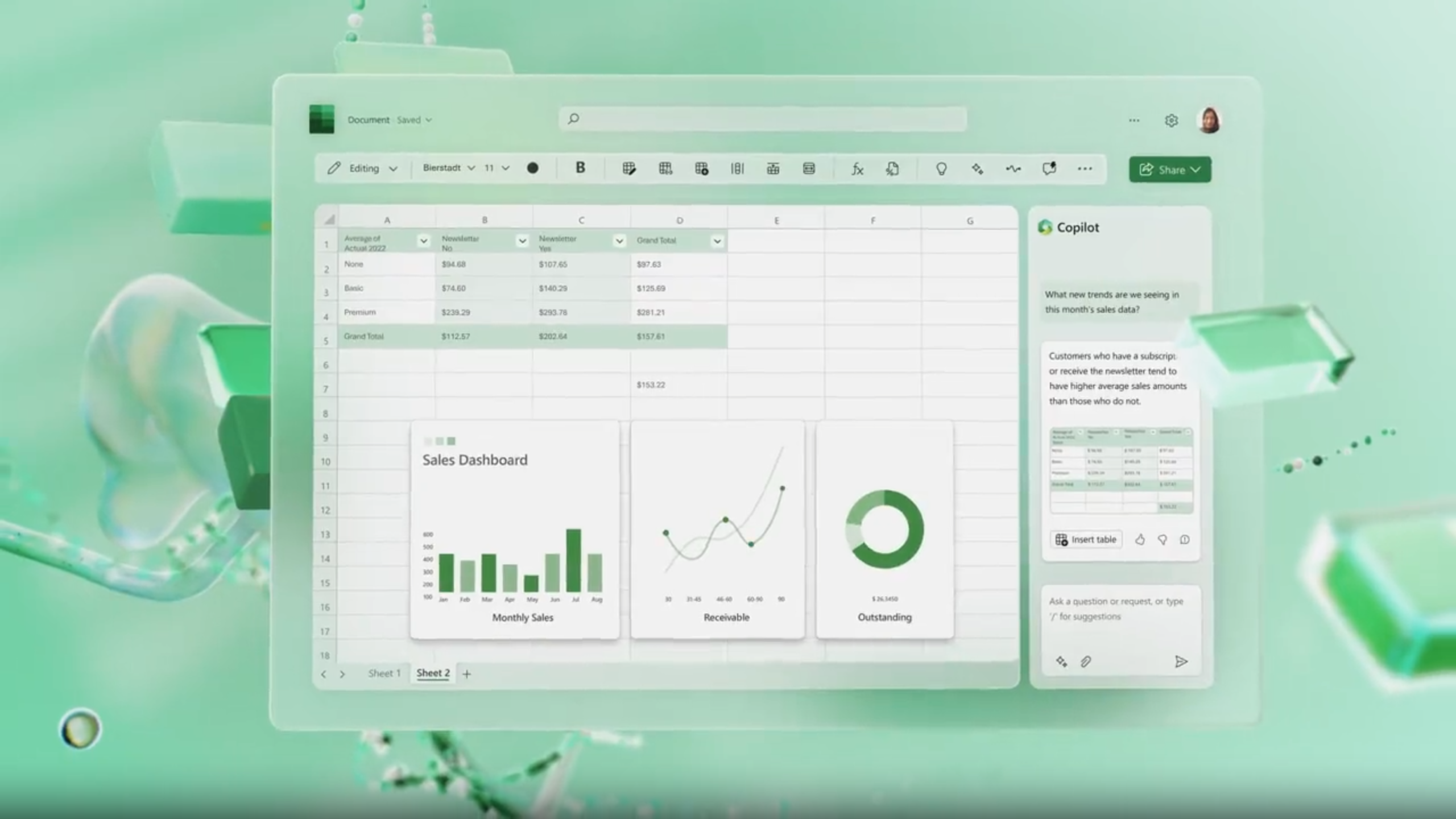
1. Natural Language Data Analysis
Ask questions like “Which product category grew the fastest?” or “Highlight outliers,” and Copilot instantly provides insights, visuals, or summaries.
2. Formula Automation
Copilot converts plain‑English instructions into complex formulas — XLOOKUPs, IF logic, dynamic arrays — complete with explanations.
3. Automated PivotTables & Charts
Skip the manual setup. Copilot builds polished, relevant PivotTables and charts based on your questions.
4. Intelligent Data Cleanup
Copilot tidies messy datasets in seconds: removing duplicates, fixing formats, combining fields, and preparing data for analysis.
5. Summaries & Insights at Scale
Copilot generates executive-friendly narrative insights — revealing trends, risks, anomalies, and opportunities hidden in your data.
Practical Benefits for Business Users
Copilot isn’t just convenient — it significantly boosts productivity and reduces operational risk. Key benefits include:
- Faster reporting through automated visuals and analysis
- Reduced errors as AI handles formulas and transformations
- Better decision‑making with instantly interpreted trends
- Lower learning curve for non‑technical users
- Improved insight generation across finance, sales, HR, operations, and more
A Glimpse Into the Future of Excel
Netcom Learning’s analysis is clear: Copilot is not just an add‑on — it represents the future of Excel. As AI becomes more deeply integrated throughout Microsoft 365, users can expect even more advanced predictive analytics, modelling capabilities, and cross‑application automation.
Excel is evolving from a manual number‑crunching tool into a collaborative AI partner. Whether you’re a beginner or an advanced analyst, Copilot helps you work smarter, faster, and with far more confidence.
Reflective IT Tip
Want the full benefit of Copilot in Excel? Start by standardising your data structures, training teams in prompt‑based analysis, and enabling Copilot across your Microsoft 365 environment.
Ready to Power Up Your Organisation with AI?

Reflective IT can help your teams unlock the full potential of Microsoft 365 Copilot — from training to deployment to governance.
📞 0207 317 4535 | 📧 support@reflectiveit.com